
Release ·
OPEX v1.11.6 — smoother in-person signing & split documents ✍️
This release is all about the signing experience and what happens after it: in-person signing now feels the way it works in the real world, and completed documents can be split into individual PDFs so each one can go where it needs to go. Both signing features apply to OPEX for Business and to Document signing in OPEX for Real Estate.
What's new
A better in-person signing flow
When signing in person — one device, handed from signer to signer — OPEX now guides each signing party through their own complete pass of the document. The process starts with a "let's get started" message naming the first signer, walks them through every one of their signature panels, and confirms when they're all done. Then the process restarts for the next signer, and repeats until the document is complete. No more hopping between parties panel by panel — each person signs everything that's theirs before handing the device on.
Split completed documents
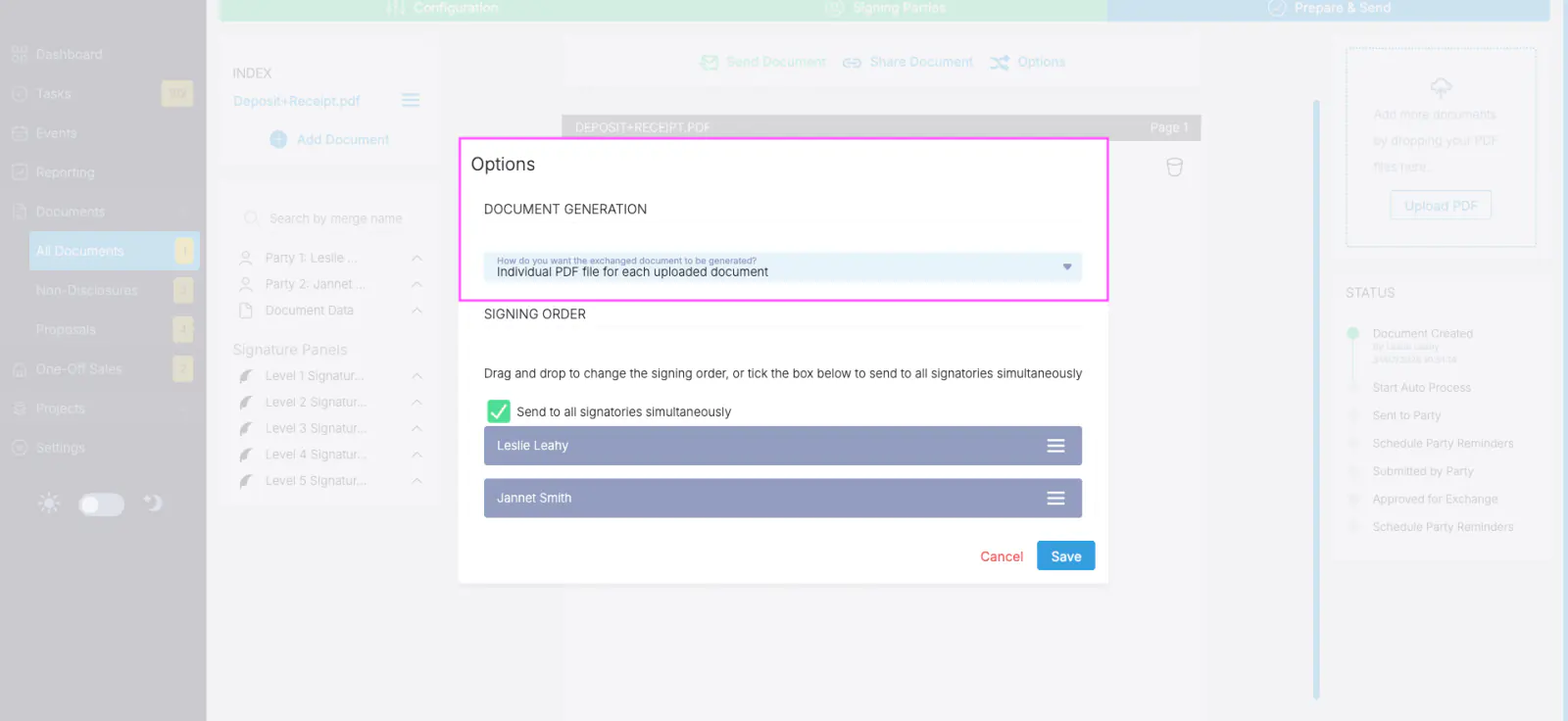
Signing sessions often bundle several PDF files into one document — and once everything is signed, different files may need to go to different places. A new Options dialog (replacing the old Signing Order popup) adds a Document Generation setting with two choices: one bundled PDF containing all documents (the default), or an individual PDF file for each uploaded document. When you choose individual files, each PDF is generated with its own signature audit report, and downloading the completed document delivers all files in a single multi-file download.
Unit numbers in email subjects
By customer request: emails sent by OPEX for apartment projects now include the unit number in the subject line — "Lot X, Unit Y, {project name}" — so recipients can spot the right property at a glance. Land subdivision emails are unchanged.
API improvements
Two additions for teams driving OPEX through the API:
- StartInPersonSigning — start an in-person signing session via API. The response returns a short-lived URL (it expires after 5 minutes) that opens the in-person signing UI directly, so signing can be initiated from within your own platform.
- Document generation & downloads — set the document generation option (bundled or individual PDFs) via API, and download the exchanged PDF files for a completed document.
All API documentation, including code examples, can be found in our Developer.OPEX portal.