
Release ·
OPEX v1.11.7 — settlement dates & stock allocation 🗓️
Settlement is the moment every off-the-plan contract is working towards, but until now OPEX held only a single, manually set estimate. This release replaces that with a proper Settlement Dates framework — forecast, revised, booked and actual — with the proposed date calculated for you from your project settings, and every change written to contract notes. There's also a new Stock Allocation field on lots and several new reporting fields.
What's new
Settlement dates, tracked properly
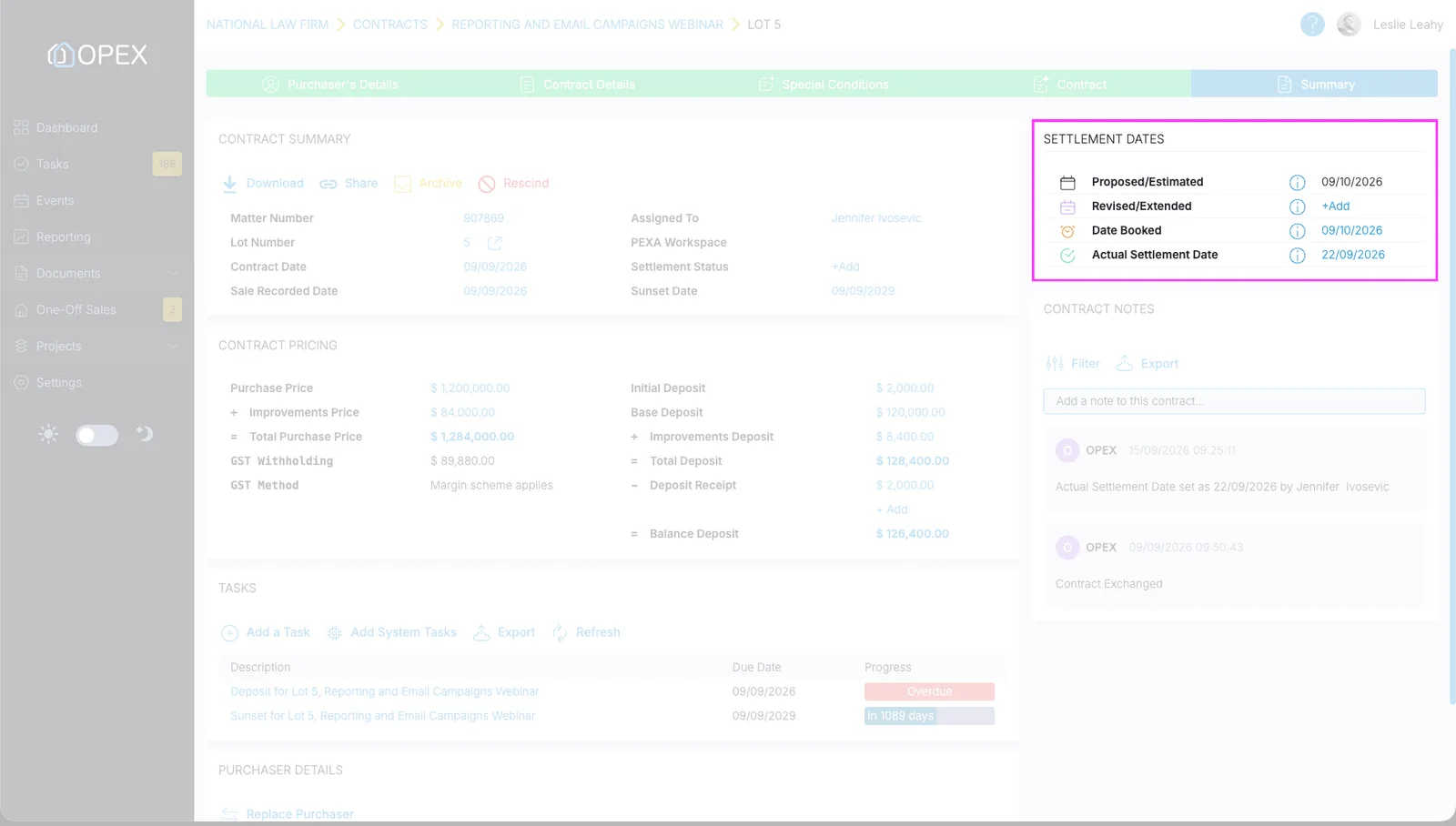
A new Settlement Dates panel sits above Contract Notes on the summary screen of any exchanged contract, paper ones included. It holds four dates: a read-only Proposed / Estimated date that OPEX calculates for you, a Revised / Extended date you set by hand to record an extension, a calculated Date Booked you can override, and an Actual Settlement Date taken from PEXA — also overridable.
Each date has an info icon explaining how it is worked out, and every change is written to contract notes with the old value, the new value and who made it. The old Est. Settlement Date has been removed from the contract summary to avoid confusion; the manually set one on the Projects list screen is unchanged.
Tell OPEX how to work the date out
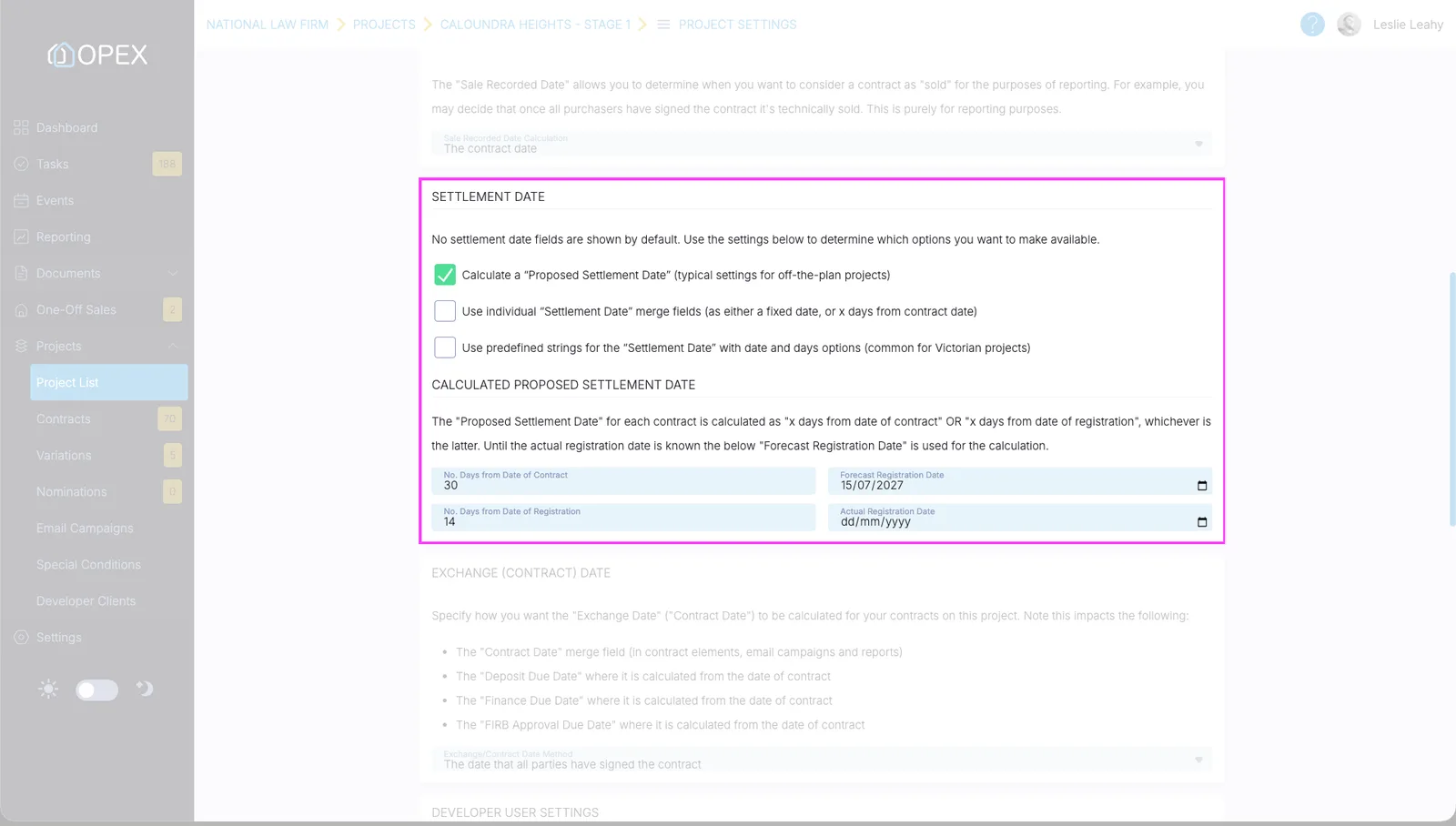
The Proposed / Estimated date is the later of two sums: a number of days from the date of contract, or a number of days from the registration date. Both live in a new Calculated Proposed Settlement Date area under Project Settings › Options, defaulting to 30 and 14 days, alongside the forecast and actual registration dates. It recalculates whenever those inputs change.
The checkbox that switches it on has been reworded from "No settlement date fields" to "Calculate a Proposed Settlement Date" — and the feature is now available to every project, not just those using the previous approach.
Registration dates on every project
The Registration Details screen is now available on off-the-plan projects as well as post-registration ones, with a new Project Registration Dates section holding a Forecast and an Actual Registration Date. A Registration Date Override tick box, off by default, enables an Actual Registration Date Override field. Nothing is mandatory, and every change is recorded in the project notes.
Stock allocation on lots
Lot details now include a Stock Allocation section with a single drop-down: allocated as "B2B" — to a builder for a house and land package, say — or allocated as "B2C" for an end customer, which is the default. It is useful for developers running mixed builder and retail stock across a subdivision. Stock Allocation is reportable via a new data point, can be set through the Lot API on both POST and PUT, and is included in the Lot List import and export.
Reporting improvements
- Four new settlement date fields — Settlement Date: Proposed, Revised, Booked and Actual, all in the Contract Details section.
- Task – Sunset Due Date — the existing Sunset Date field returns the method of calculation ("30 days from date of contract"); this new option returns the actual calculated due date of the sunset task, and because it reads the system task it accounts for extensions.
- Special Conditions – all — returns every special condition on the contract with both the heading and the body text, resolves merge fields to their merged values rather than printing the field name, and puts a line break between each condition so the output is readable.
- Deposit Receipt Held By names the firm — reporting on deposit receipts held by the firm previously returned the word "Client", which read oddly from a law firm's point of view. It now returns the firm's name, matching what already appears on the Deposit Receipt screen.