
Release ·
OPEX v1.11.5 — vendor agents, sale dates & cancellations 🏷️
This release adds richer data at both ends of a contract's life: who sold it (and what commission they're on) at the start, and exactly why and when it fell over if it doesn't make it to settlement. Plus more control over when deposit tasks appear, and new API endpoints to keep your integrations in step.
What's new
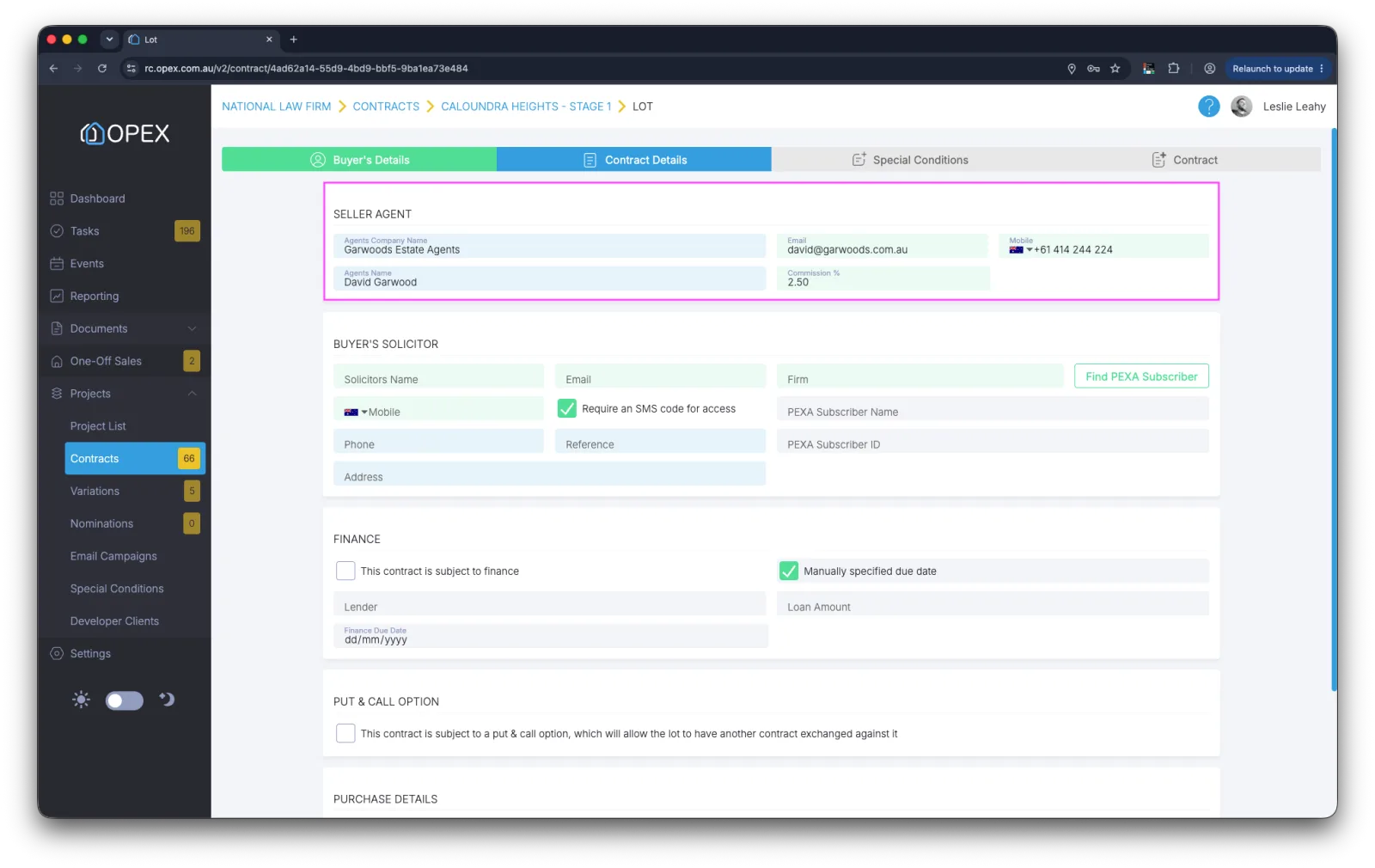
Vendor agent details, commission & merge fields
There's a new Vendor Agent section at the top of Contract Details, capturing the agency, the agent's contact details and their commission percentage. The section can be switched on or off per project in Project Settings, so it only appears where you need it. Every field can be reported on in custom reports, and new contract merge fields mean agent details and commission can flow straight into your contract documents.
Sale recorded date
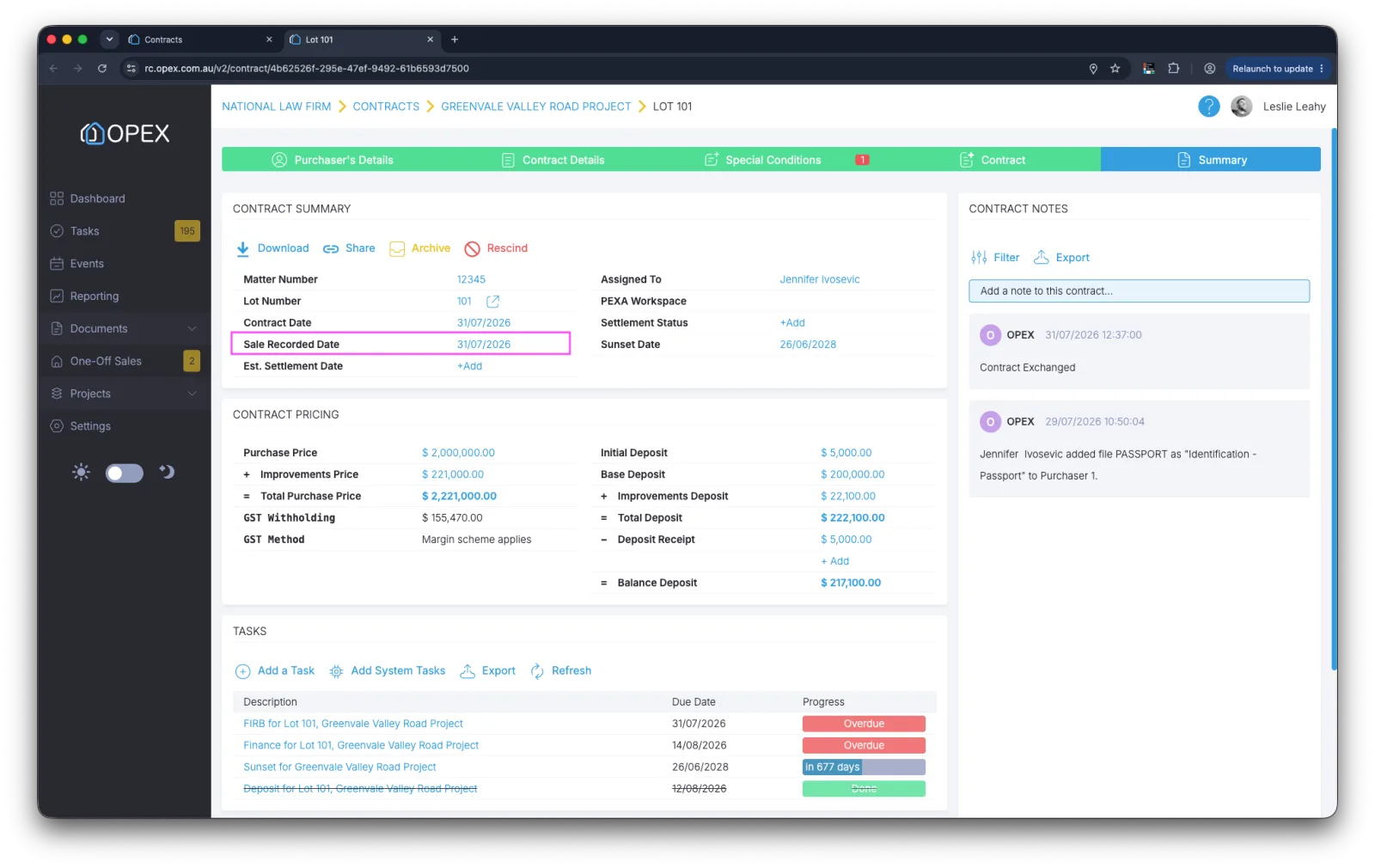
Exchanged contracts now show a Sale Recorded Date on the contract summary screen, and a project setting lets you choose how that date is calculated. It's included in the contract API GET request and can be reported on in custom reports, so the date a sale is recorded is consistent everywhere you look.
Contract cancellation reasons
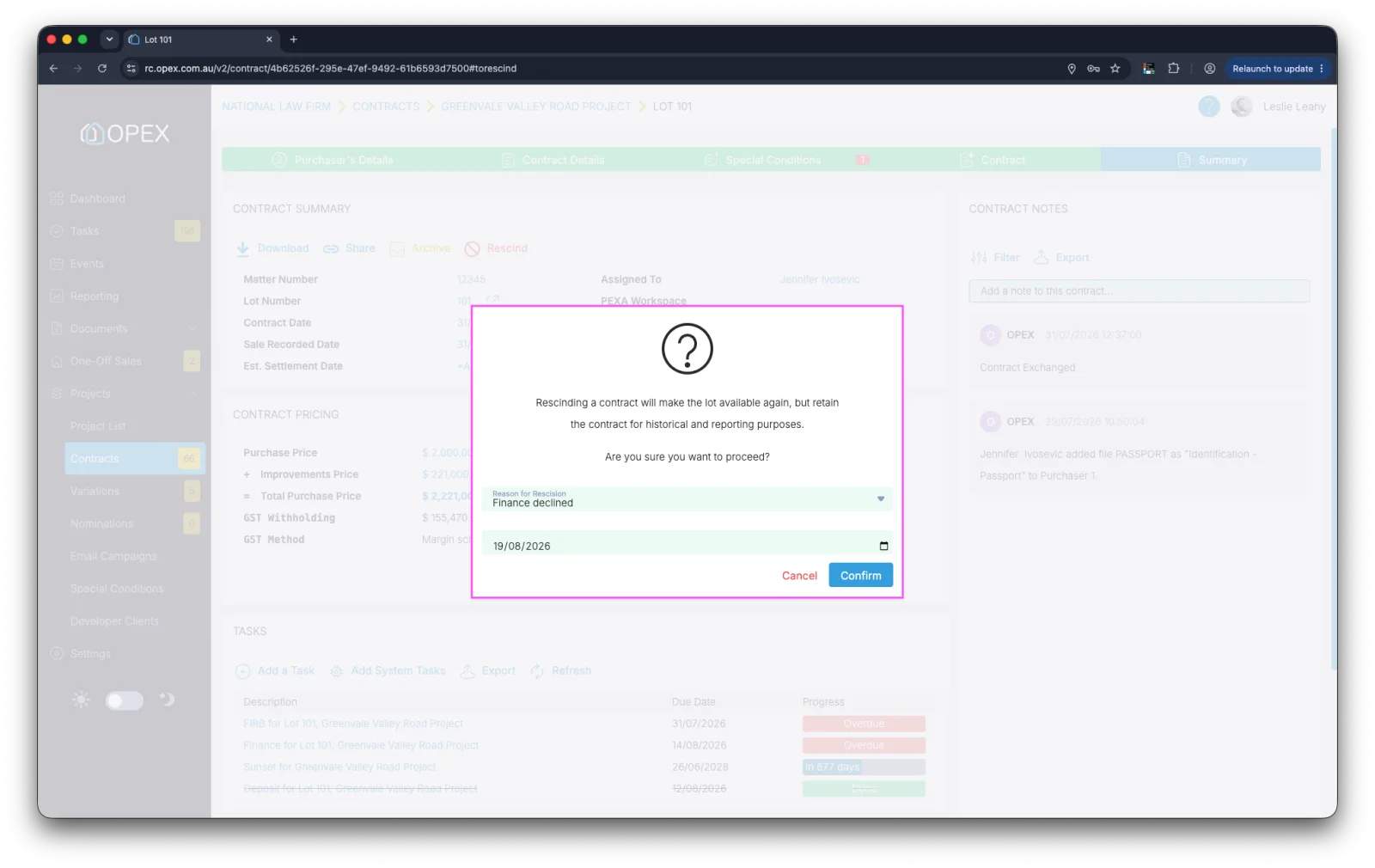
When rescinding a contract or setting it as not proceeding, users must now record a reason and the date of the cancellation. Reasons are picked from a list you define yourself on a new system settings screen, and they can be reported on in custom reports — so you'll always know not just how many contracts fell over, but why. There's also a new API to set a contract as rescinded or not proceeding, including the reason.
Choose when the deposit task is created
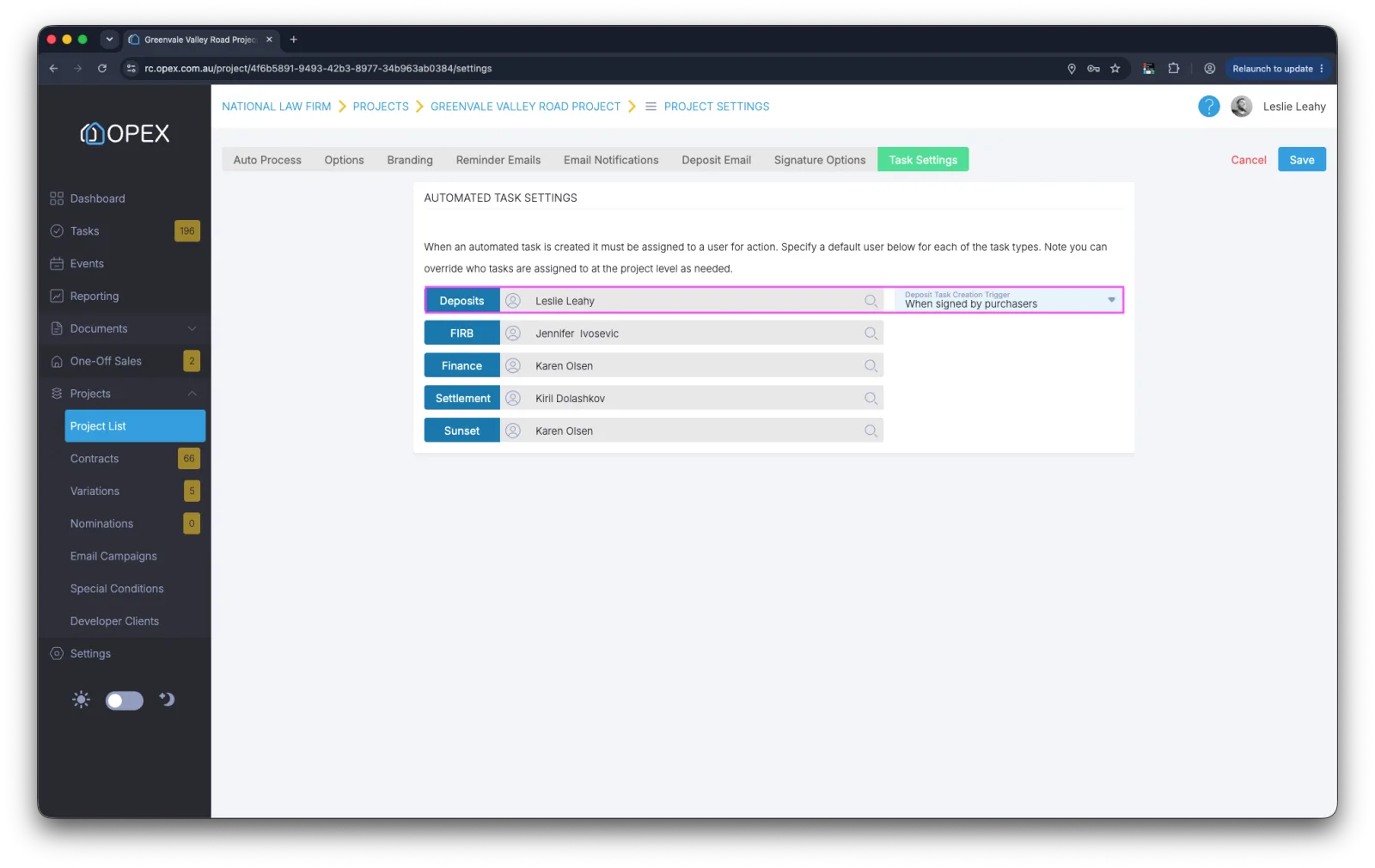
A new project setting lets you specify when the deposit receipt task is created for a contract. Choose from On exchange, When sent for signing, or When signed by purchasers — whichever best matches how your team chases deposits.
API improvements
Three new endpoints round out contract lifecycle automation:
- CancellationReasons —
GETa list of valid contract cancellation reasons. - ContractStatus —
PUTto set a contract as Rescinded or Not Proceeding, including the reason. - SettlementStatus —
PUTto update the settlement status of a contract.
All API documentation, including code examples, can be found in our Developer.OPEX portal.
General improvements
- Editable deposits after exchange: the deposit percentage and value can now be changed on an exchanged contract.
- Purchaser files on paper contracts: purchaser files can now be added to paper contracts, not just electronic ones.
- Better filters for financiers: improved project filters for financier users.
- Selected improvements reporting: improved reporting on selected improvements.
- Smarter receipt sharing: the share receipt feature now auto-populates the purchaser's and their solicitor's email addresses.
- Finance due date reporting: improved reporting on the finance due date from the system task.