
OPEX v1.11.4 — more control over files, approvals & sign-off 📎
- Leslie Leahy
- 6 hours ago
- 2 min read

This release is all about giving you tighter control at the points that matter: attaching the right files to the right lots and purchasers, adding an extra approval step before contracts move on, and setting who can sign under power of attorney. Plus fresh reporting options and a handful of quality-of-life fixes.
Highlights 👇 Lot-specific campaign attachments, drag-and-drop purchaser files with optional ID checks, agent contract approvals, POA signing authorities, richer reporting, and new API events so your integrations stay in sync.
✨ What's new
Lot-specific attachments on email campaigns New
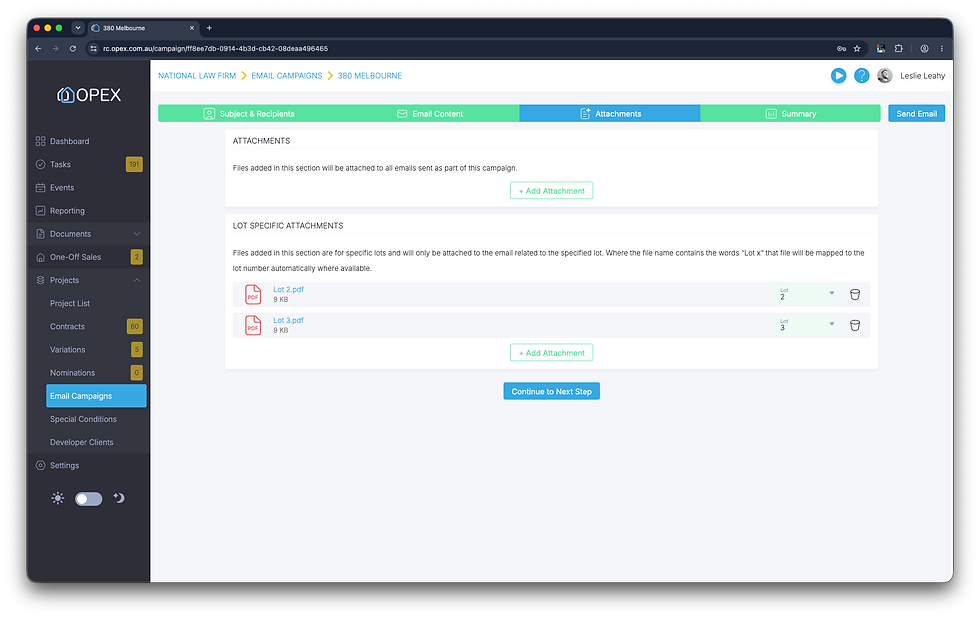
You can now add lot-specific attachments to email campaigns. On the Attachments step of the wizard, bulk upload your files and OPEX will try to allocate each one to a lot based on its file name — so a file named Lot 1 - Completion Certificate.pdf is automatically assigned to Lot 1. Got one wrong, or named differently? No stress — you can change the lot allocation any time.
Attach files to purchasers in contracts New
Drag and drop files straight onto purchaser records while creating a contract, categorised as either ID or Files. There's also an optional project setting to require at least one ID file per purchaser before a contract can be sent for signing — a simple safeguard to keep your compliance tidy from the start.

Agents can now approve contracts New
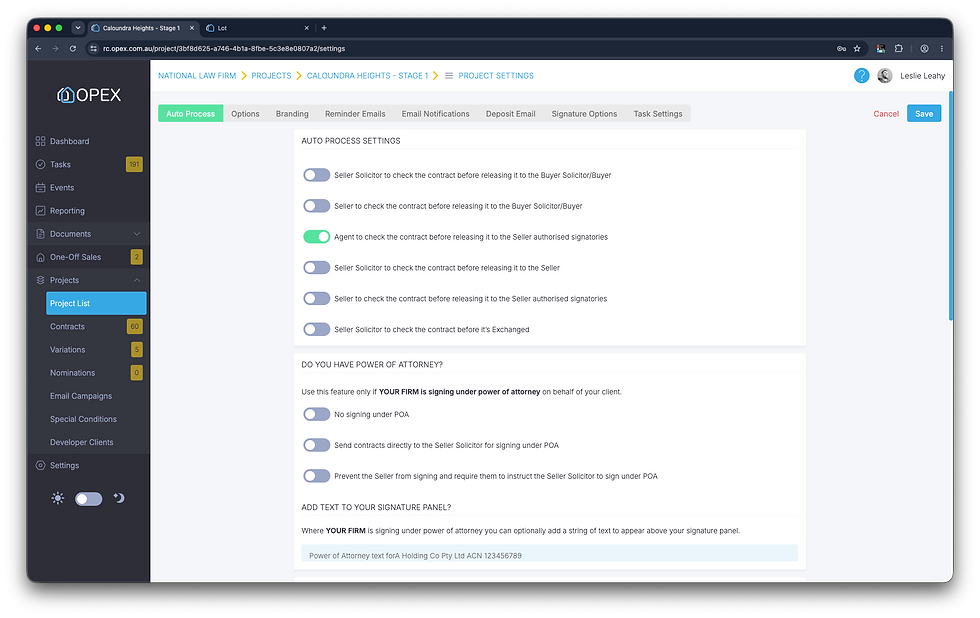
A new contract auto-process setting lets you require an agent to approve a contract after the purchaser has signed, and before it moves on to the vendor. An extra checkpoint, exactly where you want one.
POA signing authorities New
You can now optionally set power-of-attorney signing levels for your developer clients — specifying which of your users is permitted to sign under power of attorney based on the value of the contract. The right people sign the right contracts, automatically.

More reporting options New
Two additions to reporting:
Report on the contract Template Version used for each contract.
Report on full deposit receipt information — amount, date, who paid, how they paid, and which trust account it was deposited into.
🔧 General improvements Improved
Variations without a mobile number — variations can now be sent against contracts that don't have a mobile number recorded.
Project name on tasks — the project name is now shown when adding a contract to a user-defined task, so there's no guesswork.
Quieter exchanges — a new project setting lets you prevent emails being sent when a contract is exchanged.
🔌 API improvements New
We've extended the OPEX API with new events so your integrations can react the moment key records change — no polling required. Your endpoints can now be notified when:
Lot data edited — a lot's details have changed.
Contract data edited — a contract's details have changed.
Contract purchaser data edited — a purchaser on a contract has been updated.
Settlement calculations edited — settlement figures have been recalculated or amended.
💡 Building on OPEX? These pair neatly with the document and contract events shipped in v1.11.3 — subscribe to keep your own systems perfectly in step with OPEX.


